
Project management software for trade contractors
Keep the office and crew on the same plan. Knowify connects phase schedules, tasks, documents, and job costs so trade contractors can see what needs attention and keep work moving.
- 2,000+
- trade contractors run on Knowify
- 4.4/5
- G2 rating, reviewed by contractors
- #1
- QuickBooks integration in construction
- 300%
- growth for one customer in 5 years
Outdated schedules leave the office and crew out of sync
Schedules fall out of date
Changes made in an office spreadsheet leave crews relying on yesterday's plan.
Project details scatter across threads
Instructions, photos, and questions live in different inboxes, so the team has to search before acting.
Progress and costs tell separate stories
A task board shows what is done. A different report shows what it cost. Neither gives the full picture.
Knowify turns each job into a plan your team can follow
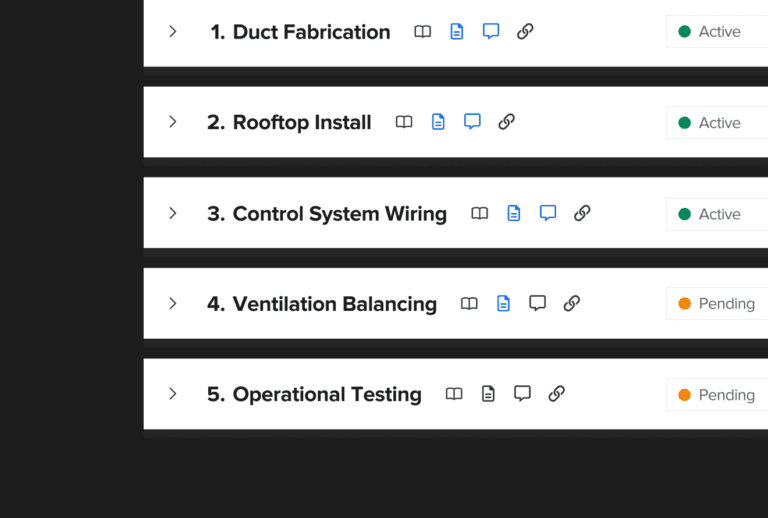
Break the scope into phases with budgets, resources, and dates attached. Use the plan to organize the work from the estimate through project completion, with the details available to the people doing it.
- Plan work phase by phaseSet the sequence of work and use Gantt charts and dependencies to see how changes affect the schedule.
- Assign crews and equipmentSchedule employees, equipment, and subcontractors against the phases that need them.
- Track progress by phaseTrack phase completion by percentage or units, and use late-phase warnings to see where follow-up is needed.
Give the office and crew the same job information
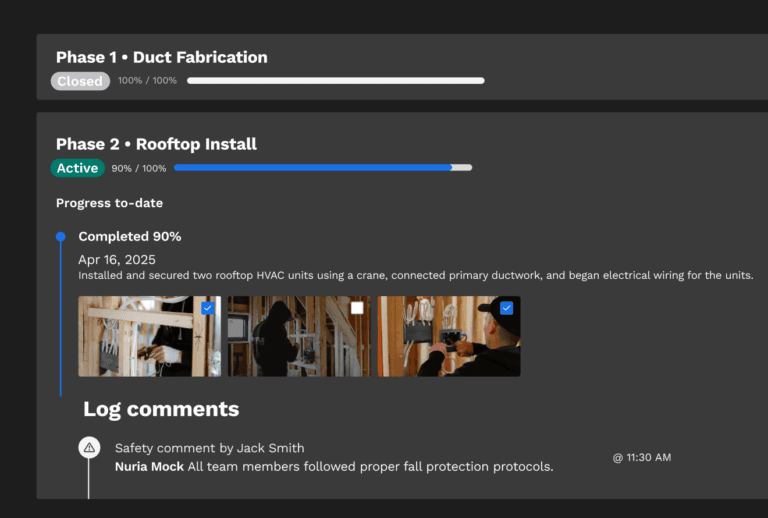
Crews can open schedules, tasks, and documents from the field. Their recorded time, photos, and updates give the office a current view of the job.
- Put the plan in the fieldCrews use the mobile app to see schedules, job details, and tasks. Schedule notifications help communicate changes.
- Record work where it happensLog time to the right job and phase, add photos and comments, and mark tasks complete.
- Keep documents with the projectKeep job documents together and review automatically compiled daily logs to follow field activity without piecing together separate updates.
See job costs alongside project progress
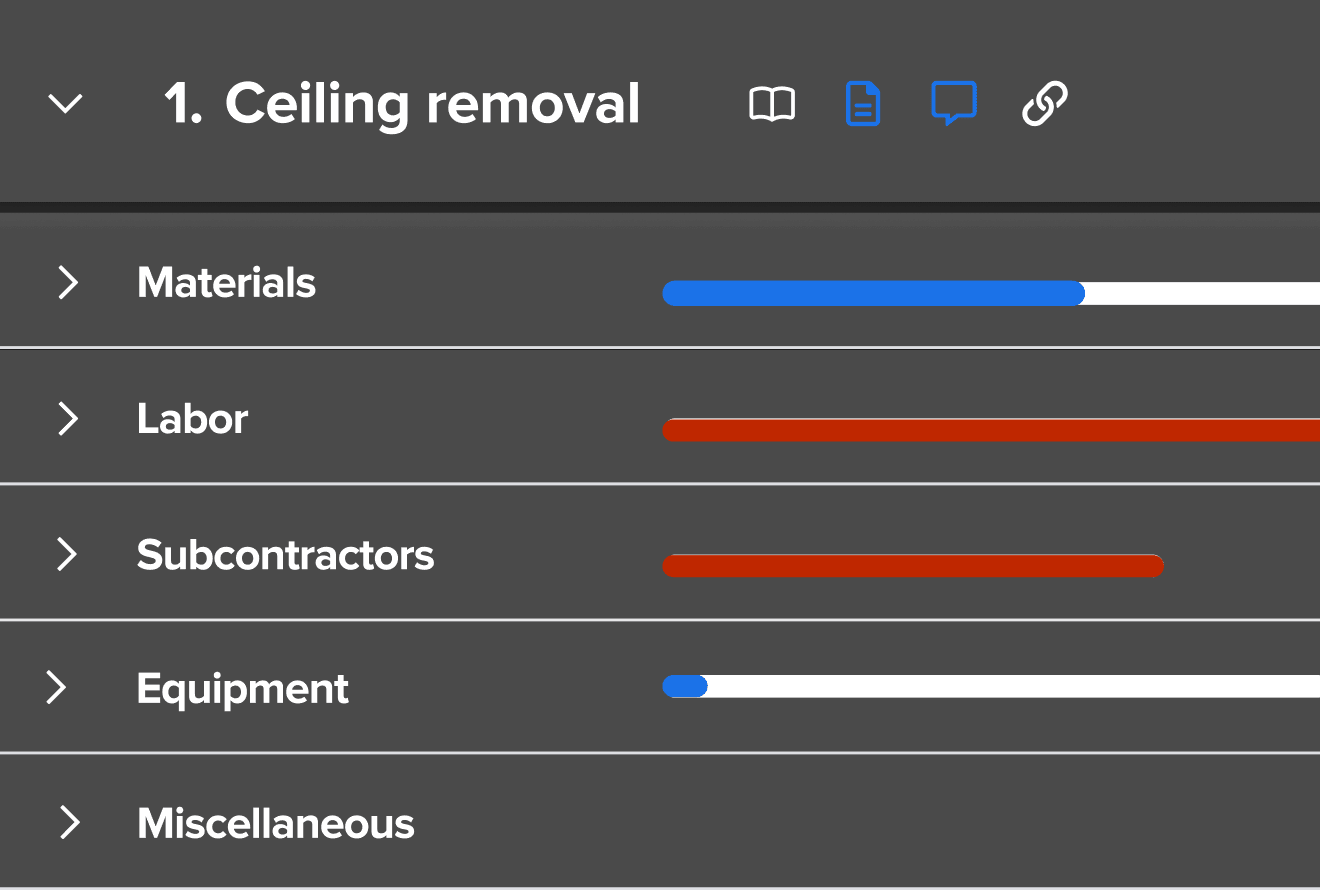
Compare recorded hours, purchases, and expenses with the job's phase budgets. Use the variance to see where work is costing more than planned.
- Compare actuals to the budgetReview cost categories within a phase to understand what is driving a variance.
- Keep scope changes connectedLog change orders with the project so the office can follow approved changes into billing.
- Follow the job through paymentUse progress invoicing, retainage tracking, and WIP reporting alongside project execution.
Run jobs in Knowify. Keep your books in QuickBooks.
Let project teams work with job details while your accountant keeps the books in the system they already use. Knowify's two-way QuickBooks Online integration connects the two.
- Costs and invoices stay connectedSync purchase orders, bills, expenses, invoices, and payments as your team works.
- Time reaches payrollConnect recorded hours to QuickBooks Payroll so the office can use the time captured against each job.
- A shared financial pictureKeep project transactions current across operations and accounting without manual exports between the two systems.
- Project purchase orderSynced
- Vendor billSynced
- Progress invoiceSynced
- Crew time entriesSynced
- Customer paymentSynced
What contractors say about running projects in Knowify
Real quotes from contractor reviews on G2.
“Knowify has kept us organized with job costing and job information. We are able to control our project cost and stay close to our budget easier.”
“NO MORE EXCEL or SMART SHEETS. Knowify does everything I need to efficiently run the business — it centralizes all project documents and data in one place.”
“Knowify has saved me hours of time. We use it both in the field and in the office — it gives us real visibility into what's happening on every job.”
Trade contractor software from bid to final payment
One project record supports the work around your schedule.
Estimates & proposals
Build the budget and client proposal before the job starts.
RFIs & submittals
Organize project questions and documents with the work.
Purchasing
Link purchase orders and vendor bills to project costs.
Progress billing
Invoice against the contract as the project progresses.
Project management questions, answered
Who is Knowify built for?
Knowify is specialty contractor software for electrical, HVAC, plumbing, mechanical, concrete, excavation, fire protection, and similar trades. It supports contractors coordinating their own scope, crews, costs, and billing across commercial, residential, and public works projects, including businesses with a service division. If you're comparing construction project management software, look for job plans, crew coordination, and financial visibility that fit the work your team delivers.
Does it work as project management software for subcontractors?
Yes. Trade subcontractors can build phase plans, assign resources, collect field updates, and manage costs in the same project. Knowify also supports the commercial paperwork around that work, including change orders, AIA pay applications, and retainage. A demo can follow your scope from the initial estimate through the final invoice so you can assess the full workflow.
What should construction management software for subcontractors keep together?
The project plan, assigned work, job documents, progress, and financial activity all need a shared context. Knowify ties these to the job record so a purchase, time entry, or approved change can inform the people managing the work. This helps office teams investigate a delay or cost variance without rebuilding the project's history from separate tools.
Can Knowify serve as commercial construction project management software?
Yes. Plan multi-phase commercial work, coordinate employees and equipment, and review job costs as the work proceeds. Commercial billing tools support schedules of values, progress invoices, and retainage. Project documents, RFIs, and submittals also stay connected to the job. The walkthrough can focus on the contract and project complexity your trade business regularly handles.
Is it a fit for electrical contractor project management software?
Electrical contractors can organize a project into phases such as rough-in, installation, and testing, assign crews, and track the time and purchases against that plan. The same approach works for other specialty trades. Bring a typical job to the demo so you can see how the phases, resource assignments, and cost reporting would fit your team's workflow.
What will the project-management demo cover?
In a 20-minute walkthrough, explore project schedules, job budgets, cost tracking, and office-to-field coordination. See where the crew finds job information and how recorded work reaches the project record. The Knowify team can also explain which subscription options fit the features you need, including more detailed project documentation and reporting.
See scheduling in a 20-minute demo
Book your Knowify demo to see how phase plans, crew assignments, and job financials stay connected from estimate to completion.
- Project phases, schedules, and resource assignments
- Shared tasks, job documents, and field updates
- Job budgets and actual costs
- Progress from estimate to final payment